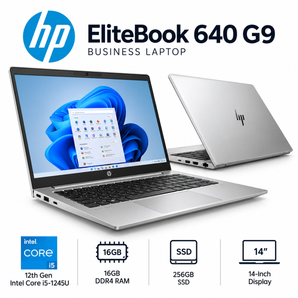
Finding a reliable refurbished computer can be a smart way to balance performance, sustainability, and cost. Refurbished devices are typically tested, repaired, and restored to a like-new condition, offering many of the benefits of a brand-new machine at a fraction of the price. This guide outlines the key considerations, research methods, and buying strategies that help shoppers locate the best online deals while ensuring quality and peace of mind.
Understanding Refurbished Computers
Before diving into the marketplace, it’s important to grasp what “refurbished” actually means. A refurbished computer has usually undergone one of the following processes:
- Returned units that were inspected for defects, repaired, and repackaged.
- Open-box items that were used for display or short-term testing and then restored.
- Factory-refurbished models that receive updates and warranty coverage directly from the manufacturer.
These devices often come with a limited warranty, detailed specifications, and a clear description of any replaced components. Understanding these basics helps set realistic expectations and simplifies the comparison process.
Key Factors to Evaluate
Performance Requirements
Identify the primary tasks the computer will handle. Common categories include:
- Basic office work: Word processing, spreadsheets, web browsing – typically requires a dual-core CPU, 4-8″?GB RAM, and integrated graphics.
- Creative workloads: Photo/video editing, design – benefits from a quad-core or higher CPU, 16″?GB+ RAM, and a dedicated GPU.
- Gaming or high-performance tasks: Demands a powerful processor, 16″?GB+ RAM, and a modern graphics card.
Condition Grading
Most sellers assign a grade to indicate cosmetic and functional condition. Common grades include:
- Grade A (Excellent): Minimal signs of wear, fully functional.
- Grade B (Good): Minor scratches or dents, all components work.
- Grade C (Fair): Noticeable cosmetic flaws, but hardware is sound.
Choosing a grade that aligns with budget and aesthetic tolerance can significantly affect price.
Warranty and Return Policies
Even though refurbished computers are not brand-new, reputable sellers typically provide:
- At least a 30-day return window.
- A limited warranty covering major components (often 90-days to one year).
- Clear instructions for initiating a return or repair.
Reviewing these policies helps mitigate risk and ensures support if issues arise.
Where to Search for the Best Deals
Several online platforms aggregate refurbished inventory, offering filters for price, specifications, and condition. While browsing, consider using the following strategies:
- Set price alerts to receive notifications when a desired model drops below a target price.
- Utilize advanced search filters to narrow results by processor generation, RAM size, storage type, and condition grade.
- Check for seasonal promotions, such as back-to-school or holiday sales, which often include additional discounts.
For a comprehensive overview of reputable sources, Read more about this topic.
Evaluating Listings Effectively
When a potential listing catches your eye, perform a quick yet thorough assessment:
- Verify specifications: Cross-check the listed CPU, RAM, storage, and GPU against the model’s official specs.
- Inspect photos: Look for close-up images of ports, keyboards, and any visible wear.
- Read the description: Ensure the seller notes any missing accessories, such as power adapters or original packaging.
- Confirm warranty details: Note the length, coverage, and any required registration steps.
These checks help avoid surprises after purchase. For deeper guidance on evaluating refurbished listings, Learn more in this detailed guide.
Negotiating and Securing the Purchase
Although many online stores list fixed prices, there are still opportunities to save:
- Look for coupon codes or promotional discounts on the checkout page.
- Consider bundling accessories (e.g., external monitor, mouse) if the seller offers a package discount.
- Contact the seller directly to inquire about price matching or additional warranty extensions.
Taking advantage of these tactics can lower the total cost while adding value. For additional tips on maximizing savings, Explore further insights here.
Post-Purchase Checklist
After the computer arrives, follow these steps to confirm its condition and set it up for optimal use:
- Inspect the packaging for damage before opening.
- Power on the device and verify that it boots without errors.
- Run a hardware diagnostic tool to confirm CPU, RAM, and storage health.
- Update the operating system and install the latest drivers.
- Register the warranty with the seller, if required.
Completing this checklist ensures the refurbished computer performs as expected and that any issues can be addressed promptly. For a full post-purchase guide, Find additional information here.
Conclusion
Purchasing a refurbished computer online offers a blend of cost efficiency, environmental responsibility, and reliable performance when approached methodically. By understanding grading systems, scrutinizing specifications, leveraging reputable platforms, and following a disciplined evaluation process, shoppers can secure high-quality devices at attractive prices. Continual research and careful attention to warranty terms further safeguard the investment, making refurbished computers a compelling option for a wide range of users.